
Output groups
Configure the
host:portto send a group of modulators' output to.
AudioSlice doesn't draw your visuals. It produces control signals (OSC messages) which can control programs that draw your visuals like:
- TouchDesigner
- Resolume
- Synesthesia
- VDMX
- Unreal Engine
... or anything else that takes OSC.
Other protocols
Support for DMX, ArtNet, and other protocols is coming soon!
Creating a new output group
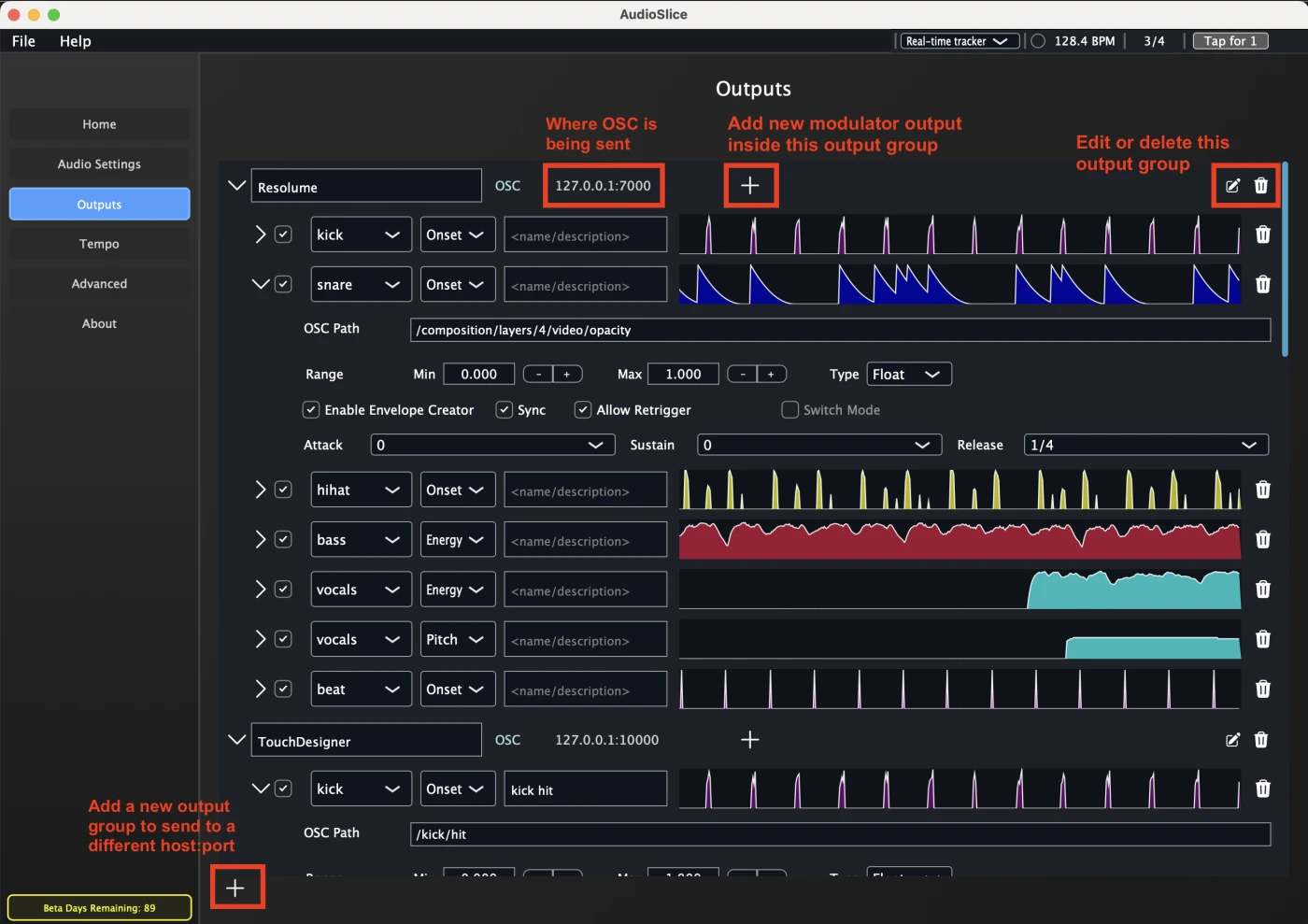
An Output group holds modulators (kick, snare, beat ramps, etc), which send OSC to different OSC paths, but the same host:port combination.
You can also name groups something useful. Here I've named the top group Resolume, since it sends to my Resolume Arena app over port 7000.
To create a new Output group, click on Outputs, and click the button to create one:
Editing an existing output group
Want to change your output group to a new port, or update the send rate?
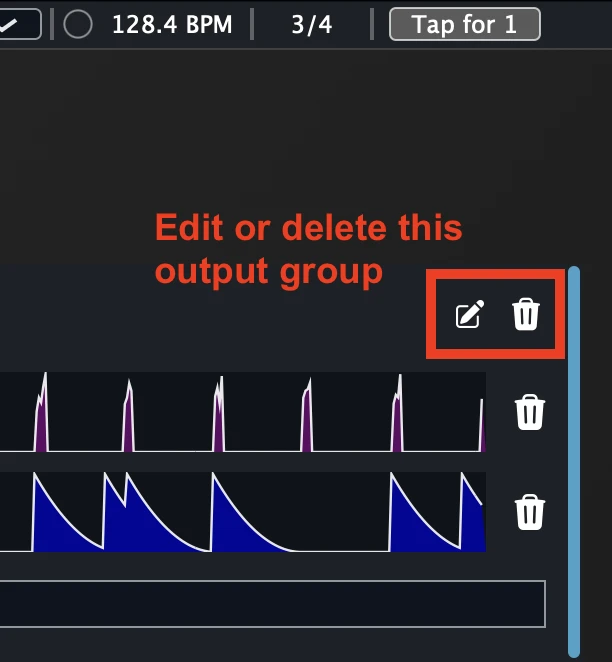
If you click on the pencil icon, you can edit its properties:
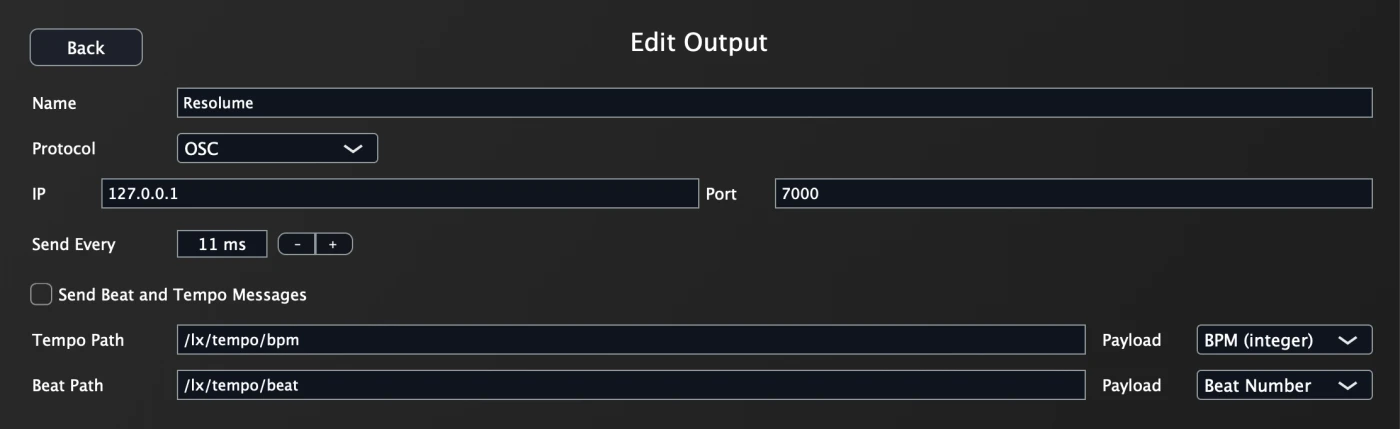
You can adjust various things like:
Host and port: use127.0.0.1forlocalhost, and port numbers must be integersProtocol(today just OSC, but others like DMX and ArtNet coming soon)Send Every: how often OSC packets are sent. 11ms is the fastest, but if your application doesn't handle that rate well, you can increase the update msPaths for beat/tempo messages: this is usually done better via modulators which can send beat ramps or onset events, but if you need the numeric tempo as a FLOAT or INT (and don't want to use Ableton Link!), you can set these paths
Remember, each output group can have totally different settings -- so your TouchDesigner output group can send at a different rate vs your Resolume, vs your MaxMSP, etc.
Let's move on to modulators, the actual things that output data for your visuals!